
Platform 9¾: My Gateway to Self-Hosting
Every time I see an ad - especially the ones that are for something I had just recently searched or even discussed about in person (they somehow know!) - it leaves me feeling uneasy. UBlockOrigin is the first thing I install on any machine I set up, and for devices where I haven’t been able to install UBlockOrigin, I use alternatives like AdGuard/1Blocker to prevent ads as best as possible. But let’s be honest - I was basically playing whack-a-mole with a digital hydra. Block one tracker, two more pop up!
Though this prevents me from seeing ads for the most part, I was well aware that my activity is being tracked. I have wanted to do something about it for quite some time now (years!) and finally chose to act on it recently. What started out as a simple “Let me get a Raspberry Pi and set up PiHole” led me into the rabbit hole of self-hosting/homelab. After countless hours spent on Reddit reading up on self-hosting and the services that are out there to self-host, I opted to go all in and do more than just host a DNS adblocker.
Choosing My Wand (Er, Server)
The first thing I had to figure out was what to host things on. In the past, I have hosted some applications in Docker on my old 2012 MacBook Pro, but it wasn’t the most efficient. Docker didn’t run well in macOS natively, and even after converting it to a Linux machine, the laptop form factor didn’t work well for cooling. I swear that laptop sounded like it was preparing for takeoff every time I opened more than three Docker containers. My neighbors probably thought I was running a small aircraft maintenance shop. Though applying new thermal paste and dusting off the interior helped, the performance still was quite poor and I didn’t feel comfortable hosting anything critical on that machine.
So I chose to get a new piece of hardware, and my initial choice was a Raspberry Pi, especially because I have used one in the past and they are pretty neat! I noticed while Pi was a good choice for basic workloads, it wasn’t the best in terms of scaling beyond a few services. Given the recent high costs, they weren’t the best option in terms of price/performance ratio. Doing a bit more digging led me to alternate options like the Odroid H4 Plus and Project TinyMicroMini. After a lot of research, my browser history looked like I was planning to build a data center (which, let’s face it, wasn’t entirely wrong).Eventually to go with a Mini PC. Instead of getting a new one from BeeLink or similar brands, I chose to buy a used Mini PC from a known brand like Dell/Lenovo/HP.
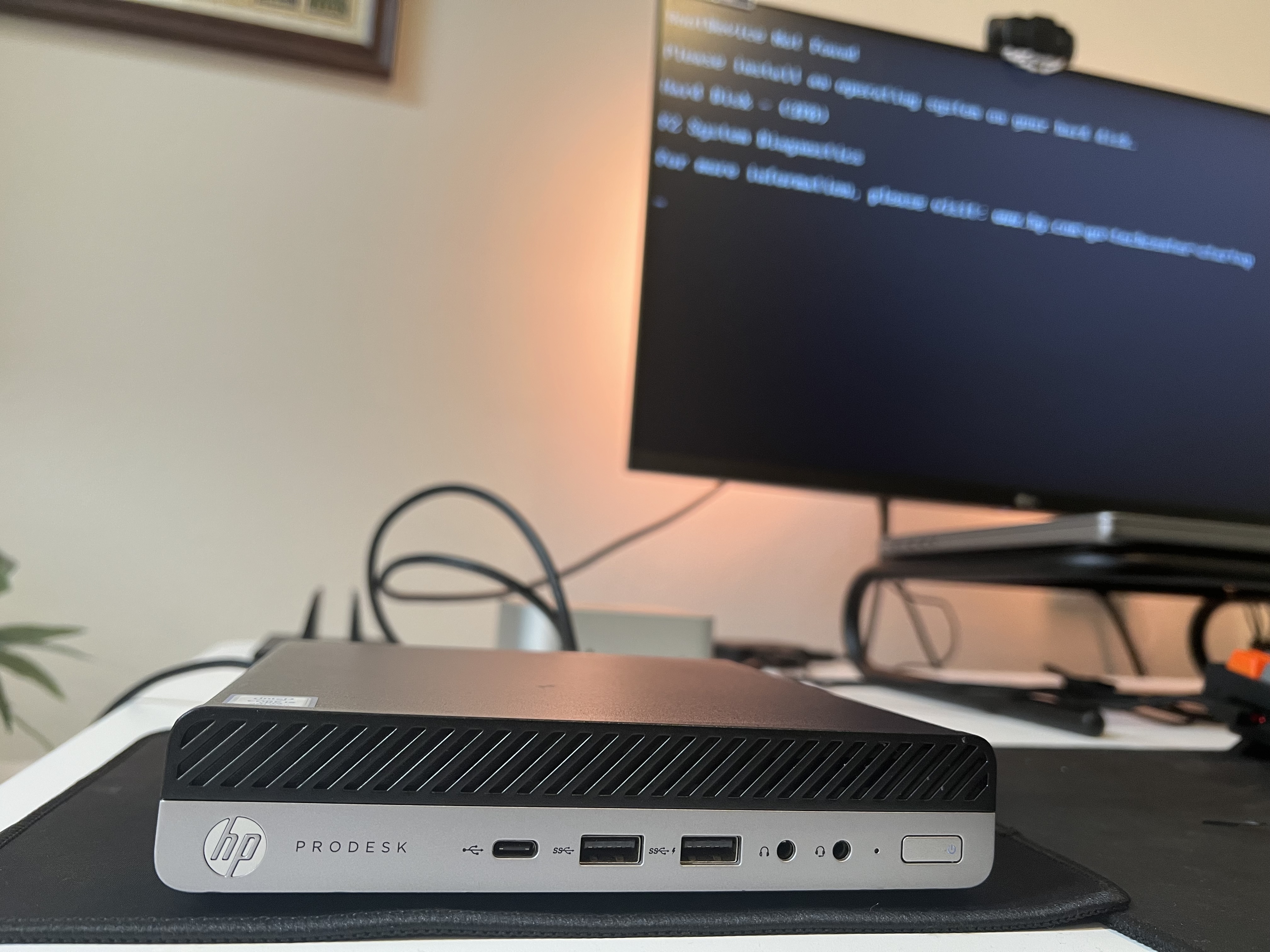
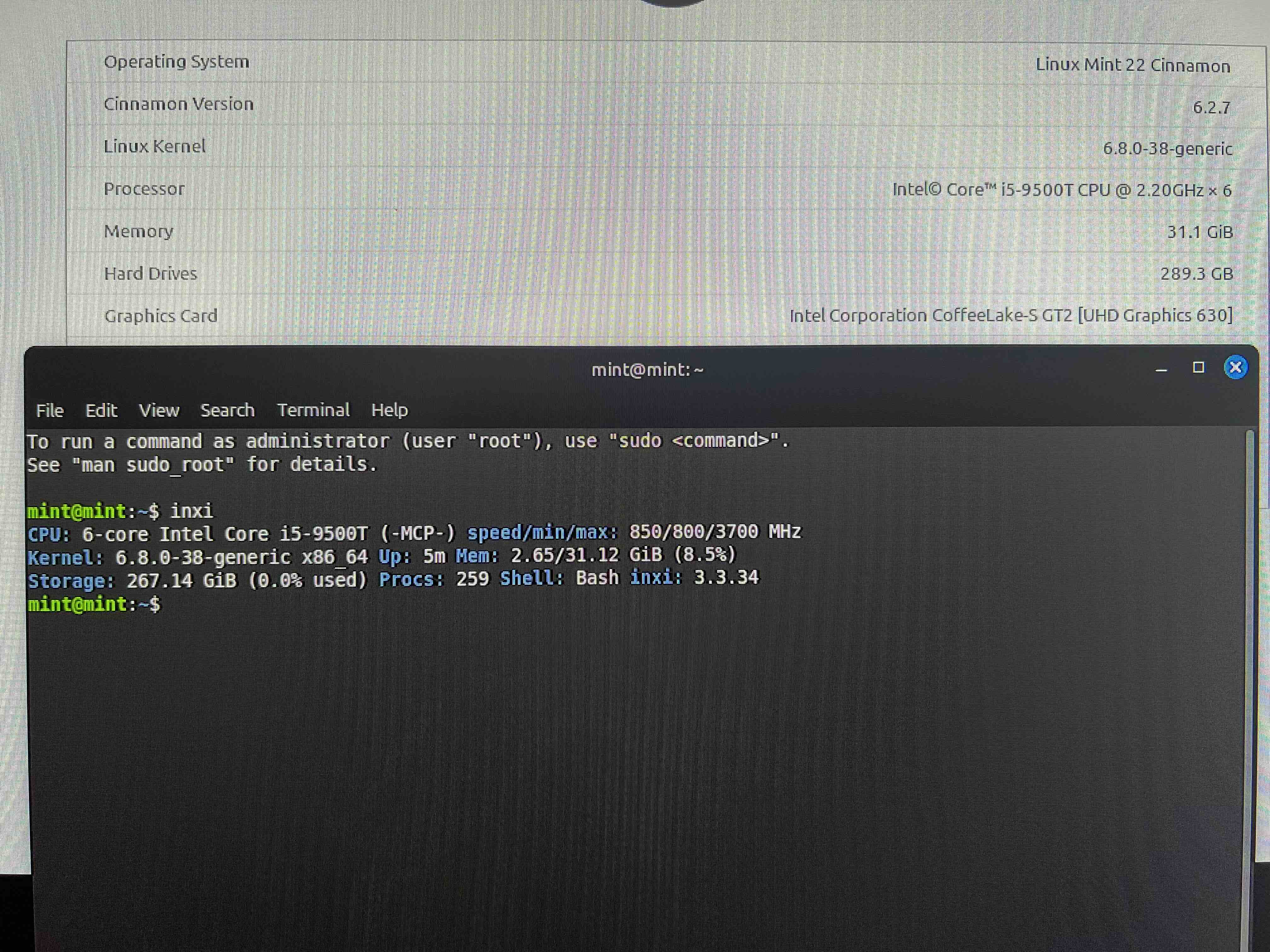
A refurbished HP ProDesk G5 is what I ended up getting! I wanted to ensure it was an Intel chip to ensure maximum compatibility with applications. I didn’t want to go crazy on the storage either, and if I ever wanted to expand to hosting media, I just wanted to get a NAS instead of using up primary storage on the server. I plugged in my Mint Live USB to quickly validate everything works as expected and woohoo - Step 0 of the homelab setup is done!
Hogwarts School of Virtualization and Containercraft
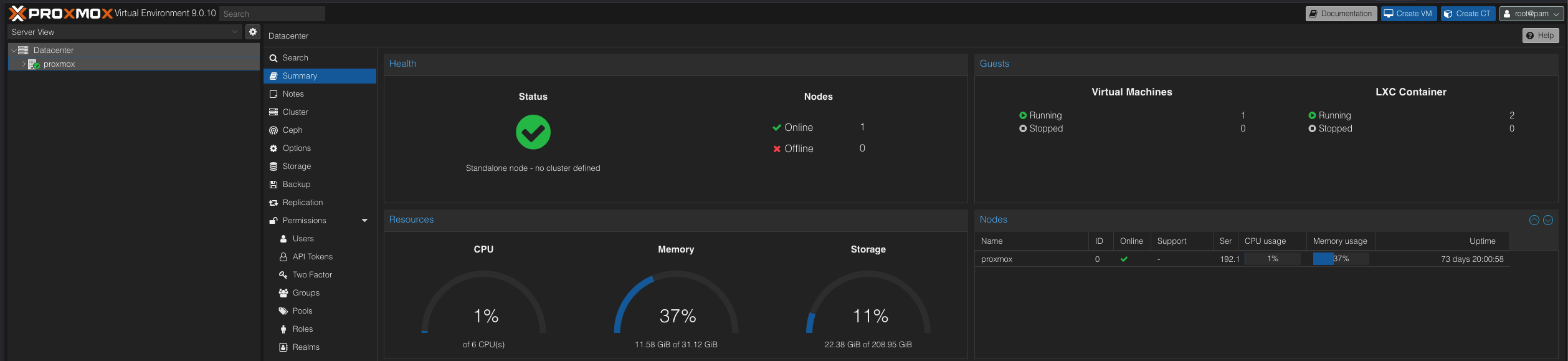
Once I validated the hardware works with a live USB, the next thing to do was flash some OS to be able to start hosting fun stuff! I spent a lot of time in the rabbit hole that /r/selfhosted is, and Proxmox seemed to be the popular choice for self-hosting. I was surprised by the fact that even hobbyists are using hypervisors and wanted to give it a shot as well. Setting up Proxmox initially required a screen, but once things were set up, my homelab machine now just sits in a corner connected through LAN and I connect to it through a browser on another machine. The first time I successfully accessed the Proxmox web interface, I felt like I’d just cast my first successful spell. Pure magic!
I also got introduced to LXC (Linux Containers) through this and the massive collection of helper scripts (OSS ftw!). For now, I have chosen to use LXCs only for some applications and put most in an Ubuntu VM with Docker on it. This helps capitalize on the efficiency from LXCs while also providing flexibility to use Docker (as most OSS are available as Docker images).
The Patronus Charm: Protecting Against Ad Dementors
The first thing I decided to set up was AdGuard Home! I used the LXC script for it and got it up and running in a matter of minutes. I looked around Reddit for the most recommended block lists, and this is what I have been using for the last 3 months or so now:
| |
I also chose to update the upstream DNS servers to some fast/privacy-focused DNS servers:
| |
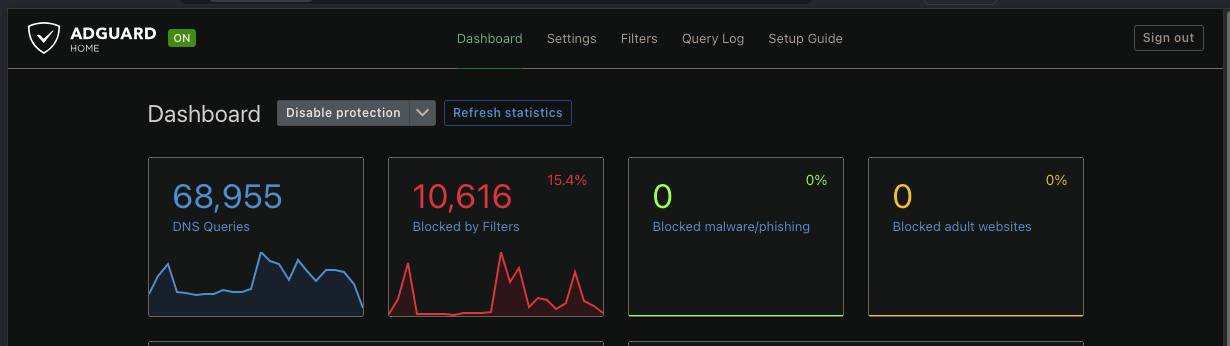
With AdGuard Home all set up, I updated my router DNS to point to the locally running instance and voila - I started seeing traffic in the AdGuard Dashboard. I was honestly startled by the different devices in the home making network calls and the number of those getting blocked as well. I have been running this setup for over 3 months now and I have seen only one case where things didn’t work as expected: Ticketmaster. I just toggled to use cellular data for it, but everything else has been smooth and I sleep well knowing the number of eyes spying on my activity has reduced! The screenshot below shows the stats from my AdGuard Home dashboard for the last 24 hours - 15% of requests blocked!!
Dumbledore’s Army: My Growing Service Collection
Since starting 3 months ago with just one LXC for AdGuard Home, I now have Tailscale configured for remote access and 11 other self-hosted services running in Docker. We’re talking budget management, recipe organization, audiobook streaming, and some productivity tools that have completely replaced my reliance on various SaaS subscriptions. Maybe I’ll spill the beans on my full setup in the next post - including the one service that made me finally cancel my Audible subscription 😉
But the journey so far has been nothing short of amazing. Not only does self hosting keep all data local and ensure privacy, I am sure I have saved $$$ over my investment so far with the services I am hosting. I am also amazed by how the self-hosting community takes things seriously with monitoring, security and scaling services - a lot of which resembles very closely practices I have had to use at work in a corporate setup while building cloud infrastructure. I’ll share more thoughts on that later, but for now, happy self-hosting!
Disclaimer: All opinions expressed here are my own and do not reflect the views of my employer.